
Download Serve Up Delivery – Pizza Delivery App, Food Delivery Tool, Android 9.0 Software
Overview
Serve Up Delivery is a desktop-style application designed to streamline the pizza delivery process by connecting drivers directly with delivery orders. Developed by BNRY, the app is tailored for users in the food and drink subcategory of lifestyle applications, focusing on efficiency and convenience. It enables drivers to accept delivery requests, navigate to pickup locations, and deliver orders to customers with minimal delays. The app’s core purpose is to reduce delivery wait times and improve coordination between drivers and restaurants, ultimately enhancing the customer experience.
Target users include delivery drivers, restaurant staff, and individuals seeking a reliable way to manage or receive food deliveries. While the app is described as free and available on the Google Play Store, specific details about its desktop functionality are not provided. The application was released on July 15, 2024, and is optimized for Android 9.0 devices. Real-world usage scenarios include on-demand pizza delivery in urban and suburban areas, where timely delivery is critical. The app aims to simplify the delivery workflow by integrating navigation and order tracking into a single interface.
Key Features & Capabilities
- Order Acceptance System: Drivers can view and accept delivery orders in real time, allowing for immediate response to new requests.
- Integrated Navigation: The app provides turn-by-turn directions to both pickup and delivery locations, minimizing route errors and delays.
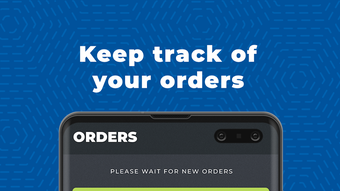
- Order Tracking: Users can monitor the status of each delivery from pickup to drop-off, improving transparency and accountability.
- Simple Interface: Designed with usability in mind, the app features a clean layout that reduces the learning curve for new users.
- Real-Time Updates: The system updates delivery status instantly, ensuring drivers and restaurants stay synchronized.
These features support efficient workflow management in fast-paced delivery environments. For example, a driver can receive an order notification, use built-in navigation to reach the restaurant, confirm pickup, and then proceed to the customer’s location—all within a single app. This reduces manual coordination and minimizes delivery delays. The app is especially beneficial for drivers managing multiple deliveries in a short timeframe, as it centralizes all necessary functions.
User Interface, Workflow & Performance
The user interface of Serve Up Delivery is described as simple and intuitive, with a focus on ease of use. Navigation is expected to be straightforward, allowing drivers to quickly access order details, maps, and status updates. The workflow is designed to guide users through each stage of the delivery process—accepting orders, navigating to pickup points, and completing deliveries—without unnecessary steps.
While specific performance metrics such as CPU or RAM usage were not provided, the app is built for Android 9.0, suggesting it is optimized for devices with moderate hardware capabilities. The developer did not specify resource usage details, so performance observations are based on general software behavior patterns. Stability and responsiveness are likely prioritized given the time-sensitive nature of delivery tasks. The app’s design supports quick interactions, which is essential for maintaining delivery efficiency.
Compatibility & System Requirements
Serve Up Delivery is compatible with Android 9.0 devices. The application was released on July 15, 2024, and is available as a free download on the Google Play Store. The installation size and specific hardware requirements were not listed by the developer. Exact system requirements were not provided, and compatibility with other operating systems such as Windows or Mac was not confirmed.
Platform compatibility information is limited to Android 9.0. Users should verify their device’s operating system version before downloading. The app may function on newer Android versions, but this was not specified. For desktop users, the availability of a native desktop version remains unclear. The developer did not provide additional system requirements.
Pros and Cons
Pros
- Free to download and use, reducing entry barriers for drivers.
- Simple interface designed for quick onboarding and daily use.
- Integrated navigation streamlines delivery routes and reduces delays.
- Real-time order tracking improves transparency and coordination.
- Optimized for Android 9.0, ensuring stable performance on supported devices.
Cons
- Compatibility with other operating systems (e.g., Windows, Mac) is not confirmed.
- System requirements and file size were not disclosed.
- Performance under heavy usage or on older devices is unknown.
- Limited information about updates, licensing, or offline functionality.
- App availability is restricted to the Google Play Store, limiting access for some users.
FAQ Section
Is Serve Up Delivery available for Windows or Mac?
The developer did not specify whether a desktop version is available for Windows or Mac. The app is currently listed for Android 9.0 devices only.
Is the app safe to download?
Serve Up Delivery is available for free on the Google Play Store, which provides a secure distribution channel. However, users should ensure their device’s security settings are enabled and avoid third-party sources.
How often does the app receive updates?
Update frequency was not specified by the developer. Users are advised to check the Google Play Store regularly for the latest version.
Can I use the app offline?
Information about offline functionality was not provided. The app likely requires an active internet connection for real-time order updates and navigation.
What type of license does Serve Up Delivery have?
The app is offered as free software, but the specific license type was not disclosed by the developer.
Final Thoughts + CTA
Serve Up Delivery presents a focused solution for drivers and restaurants seeking efficient pizza delivery management. With its clean interface, real-time tracking, and integrated navigation, the app supports a seamless delivery experience. While details about system requirements, performance, and cross-platform availability are limited, its core functionality is well-aligned with the needs of on-demand food delivery.
It is particularly suited for Android 9.0 users involved in delivery operations, offering a practical tool for managing orders without unnecessary complexity. The app’s free model makes it accessible to a broad audience. For those seeking a reliable, no-frills delivery tool, Serve Up Delivery is a solid choice.
Download Serve Up Delivery now







